

Getting
started Guide
Upload your data
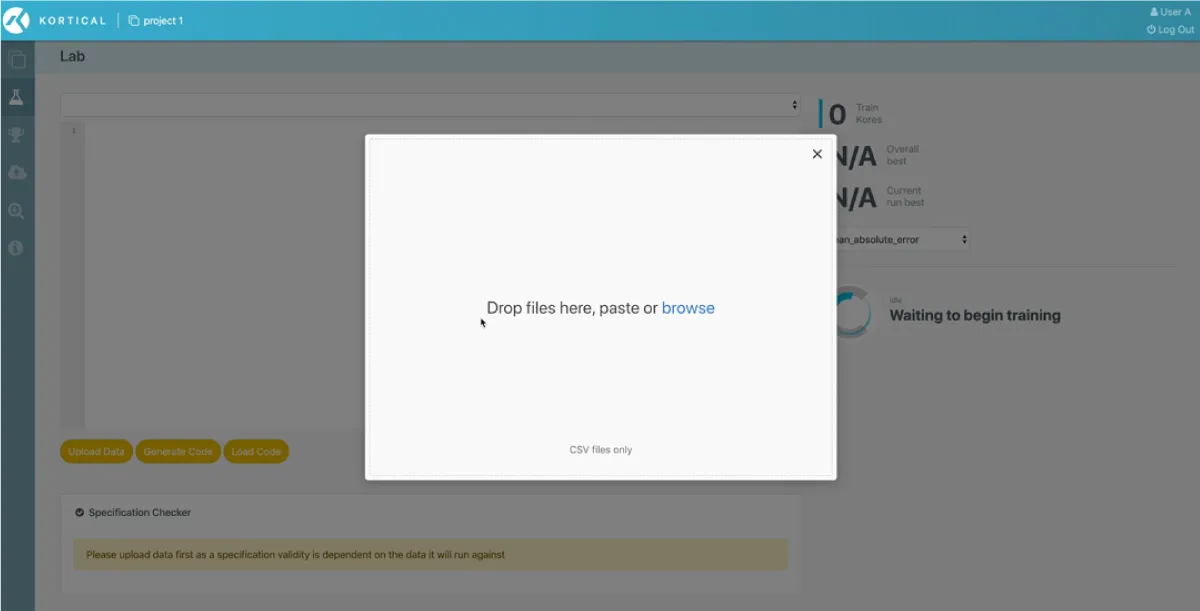
Go to the lab screen and upload the dataset you want to train a model on.
Select your target
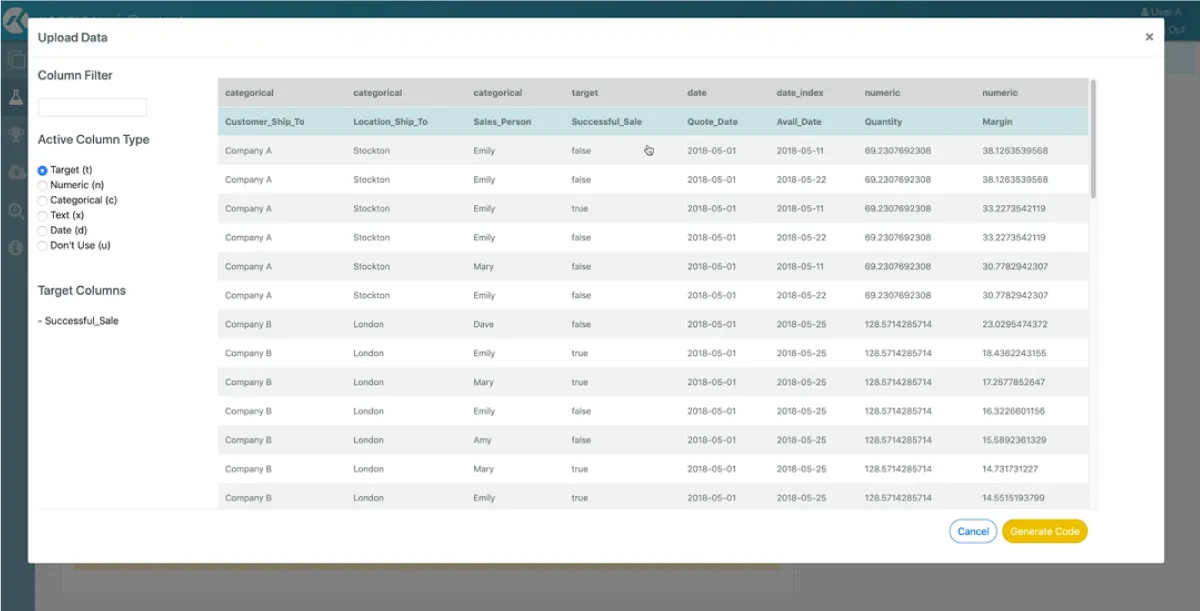
After the data uploads just select the column you want to predict.


AutoML
Kortical’s competition crushing, cloud scale, distributed AutoML will start finding the best machine learning solution for your dataset. It builds machine learning solutions from the ground up, data cleaning, preprocessing, feature creation, model selection, tuning and much more. Using distributed cloud scale AI it searches the solution space for the best possible machine learning model and surrounding solution. Kortical has won every competition it entered, including against Google’s AutoML.
Publish your model
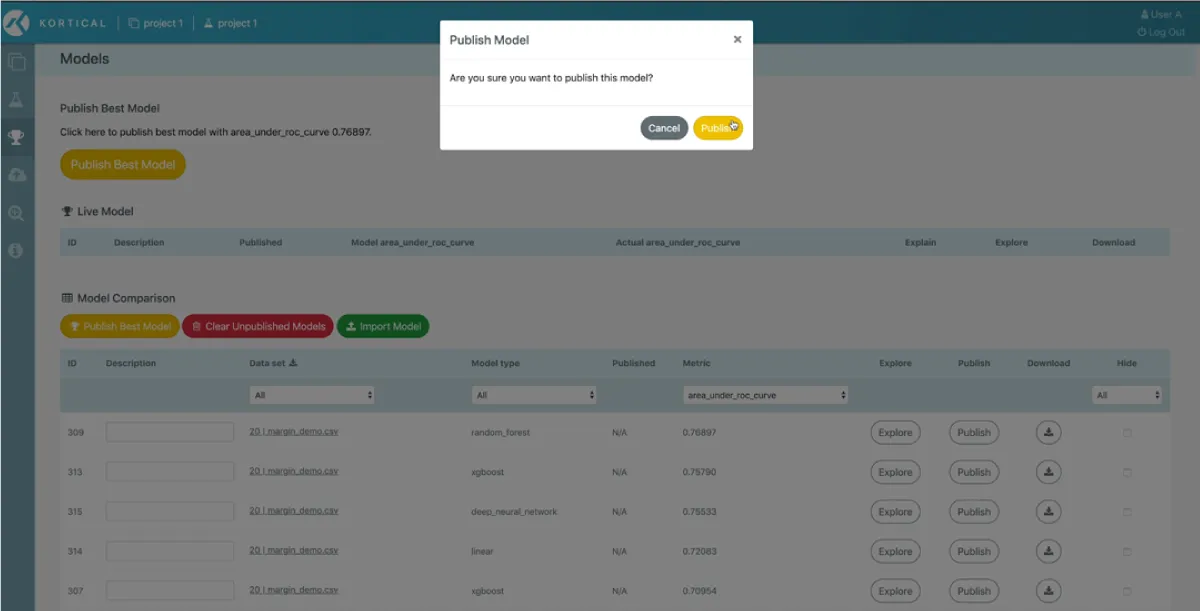
As Kortical creates new models you can view or edit the model solution code or compare models on the model leaderboard. Once you are ready you can publish the best model.
Explain your model
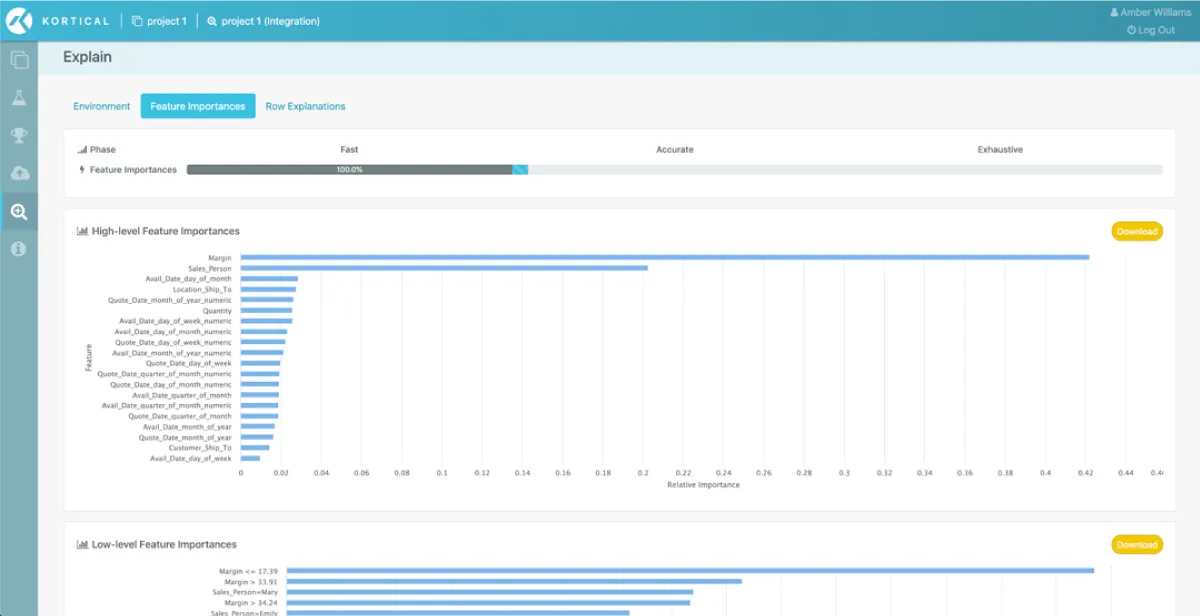
Explain any model from a simple Random Forest to a Deep Neural Network with multiple different text encodings. Use the insight to create better features and improve results, remove bias from models and win over stakeholders that would be reticent of black-box AI.
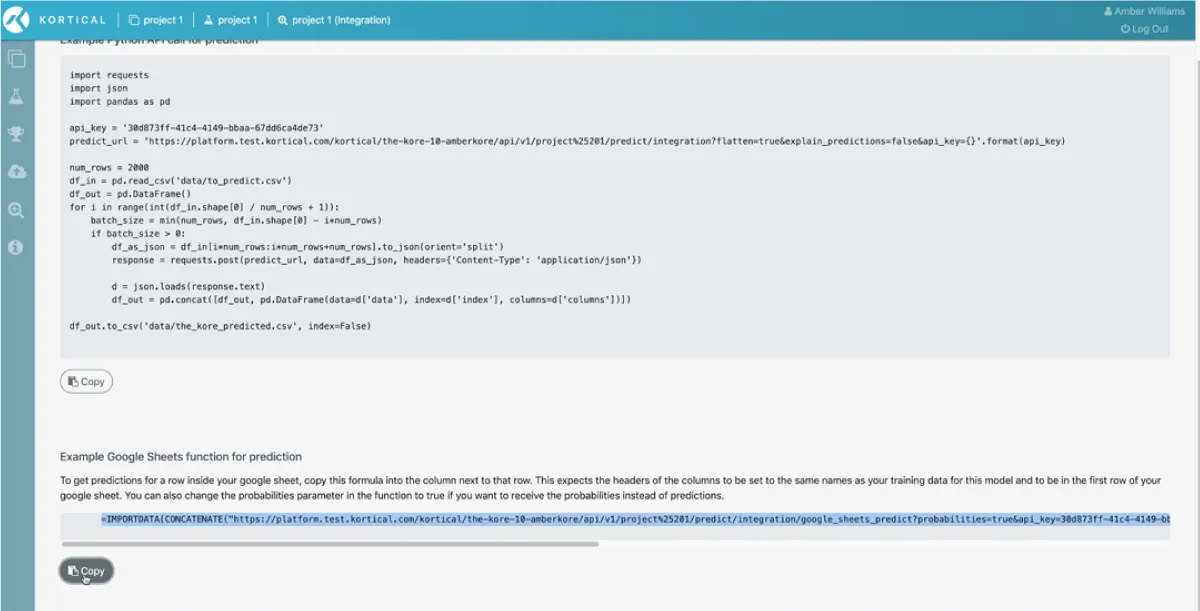
Copy snippet
Click deployment and copy the relevant snippet for your business insights tool of choice.
Get business value
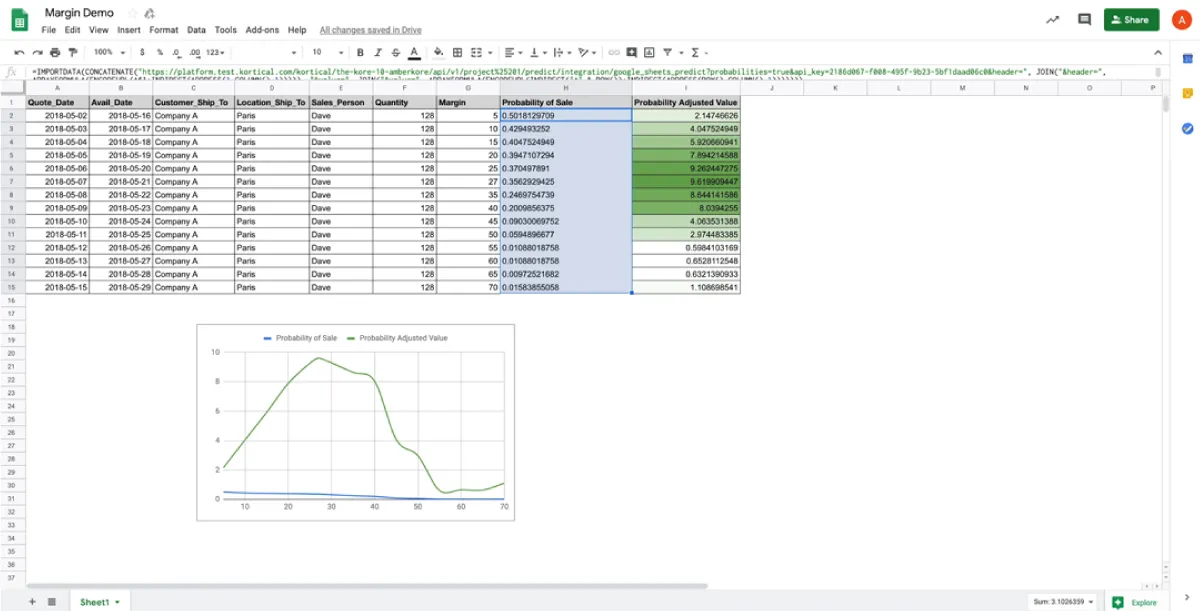
Open your business insight tool, here we’re showing Google Sheets but it could just as easily be Qlik, Tableau, PowerBI, etc. Paste your snippet and now it’s AI enabled, serving predictions from the models you just created. You can use these models to predict customer churn, do advanced forecasting or customer segmentation among millions of other use cases.
Upload your data
Go to the lab screen and upload the dataset you want to train a model on.
Select your target
After the data uploads just select the column you want to predict.
Review generated code
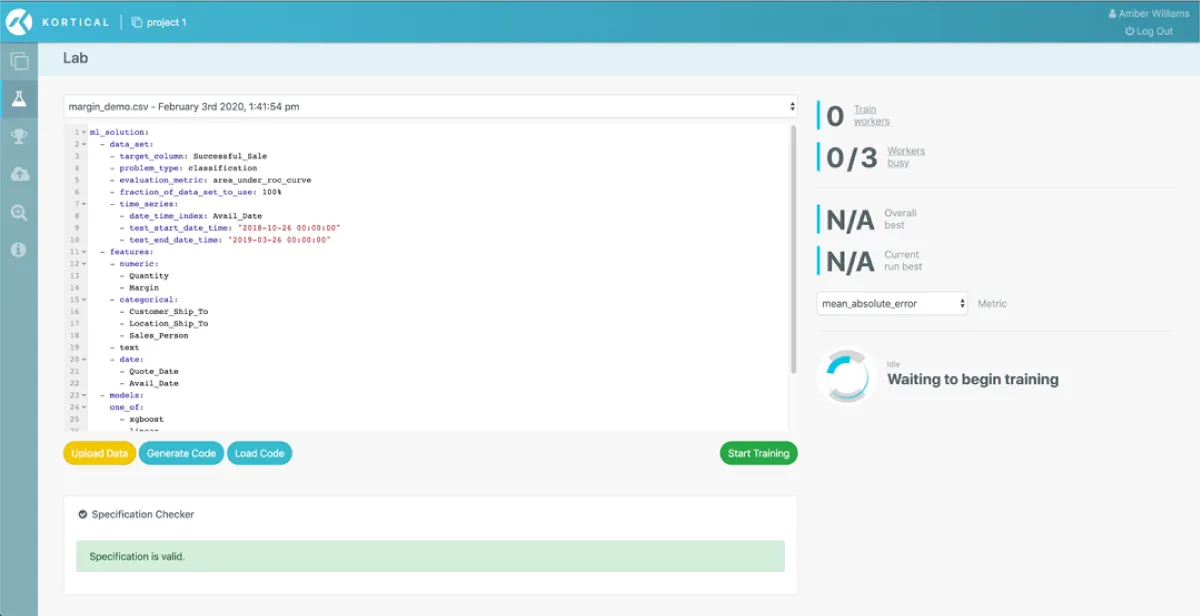
Kortical has a simple high level language for data-science and it generates intuitive high level code that can be refined before running the AutoML. (The language usually takes less than half a day to learn)
AutoML
Kortical’s competition crushing, cloud scale, distributed AutoML will start finding the best machine learning solution for your dataset. It builds machine learning solutions from the ground up, data cleaning, preprocessing, feature creation, model selection, tuning and much more. Using distributed cloud scale AI it searches the solution space for the best possible machine learning model and surrounding solution. Kortical has won every competition it entered, including against Google’s AutoML. As Kortical rapidly builds thousands of candidate solutions it has inbuilt cross-validation, held back test set testing and some proprietary IP to prevent overfitted model selection. It can be used to build world class models for a wide range of supervised machine learning problems from binary, multi-class, multi-label classification, to regression, to recommendation, to NLP, time series, survival analysis among many more. It’s easier to list what it isn’t suited for - images or video.
Publish your model
As Kortical creates new models you can view or edit the model solution code or compare models on the model leaderboard. Once you are ready you can publish the best model.
Explain your model
Explain any model from a simple Random Forest to a Deep Neural Network with multiple different text encodings. Use the insight to create better features and improve results, remove bias from models and win over stakeholders that would be reticent of black-box AI.
Iterate
Very few models are one and done. Usually you’ll build a model, learn something useful, maybe create a feature, maybe add a different dataset and then iterate. Because Kortical’s AutoML is code based, it’s really easy to fix parts of the solution and just iterate on the bits you’re working on, saving a lot of time and wasted compute cycles that you’d get with AutoML that doesn’t let you control and focus it easily.
Deploy a model
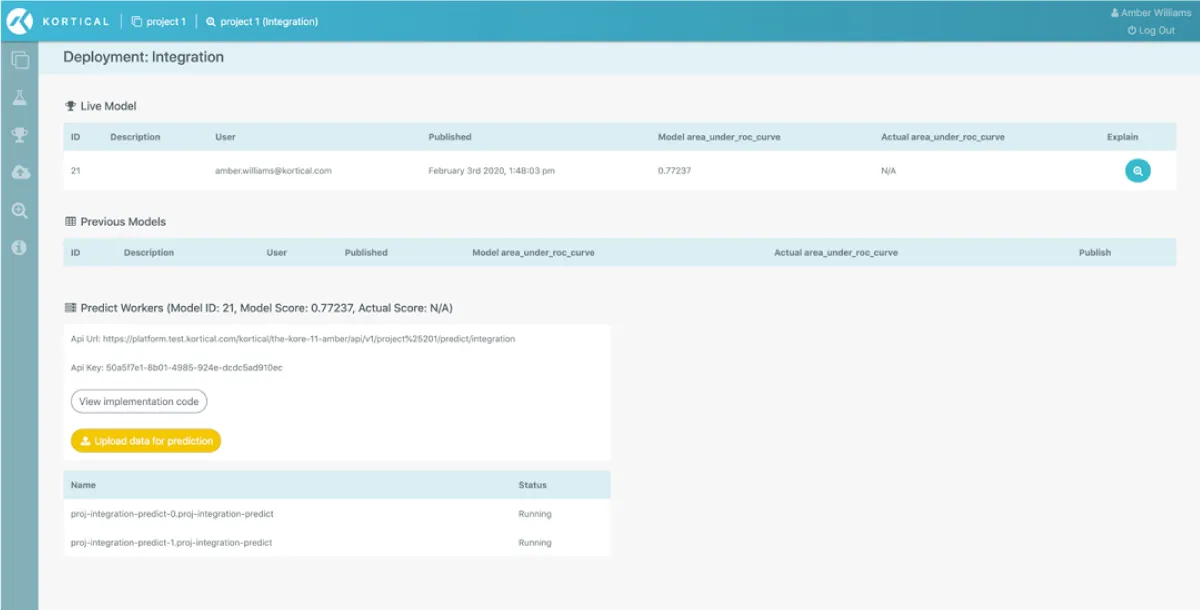
With any live project there are usually multiple environments, development, beta, production, etc. Kortical makes it easy to separate code from data-science making model updating and management a breeze through a simple UI or API. Kortical’s deployments can handle any scale and offer mission critical level reliability. Making it the AI platform of choice for the NHS and Deloitte.

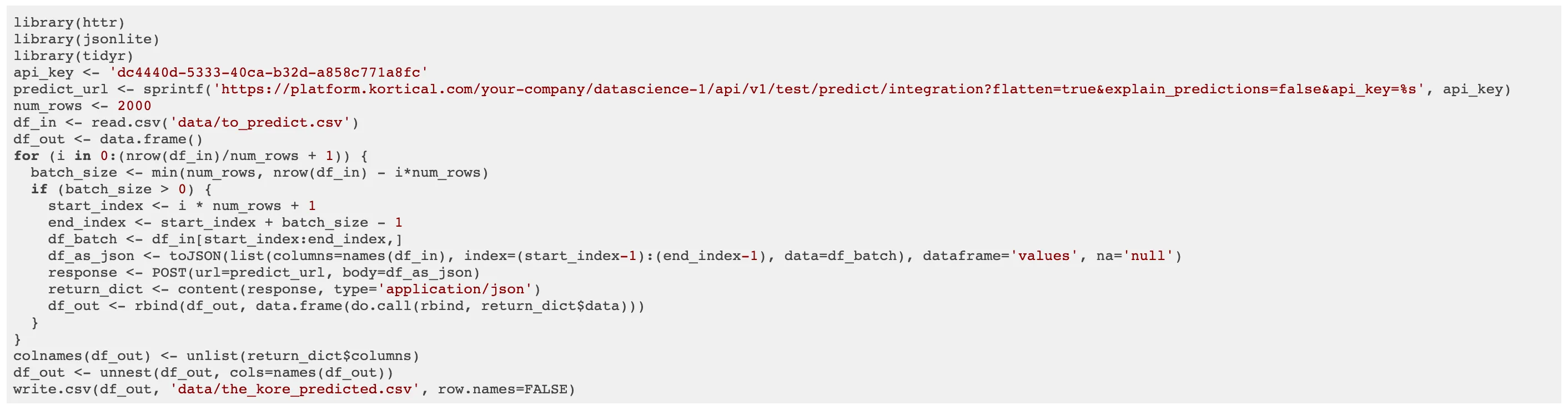
Copy snippet
Click deployment and copy the relevant snippet for your language of choice. It can be called in real-time or batch.
Paste it into your codebase
AI enable your app, website or microservice in minutes with a simple API. Kortical also offers libraries for data transforms, etc. Production ready ML microservice and website templates that can be easily adapted to create custom apps and services. Microservice and website hosting and deployment. So creating a fully fledged machine learning solution has never been easier. We focus on the code so you can focus on the ML solution.
Request a demo in the form below
A helpful Kortical team member will reach out to set up a time and find out a little about your challenges, usually same day.
Book in a demo / hands on session with your data or Kaggle datasets.


Ready to automate real work?
Contact us to see a focused demo and explore the quickest path to production.
Thank you!
A Kortical team member will be in touch shortly